
InfographicGPT Image
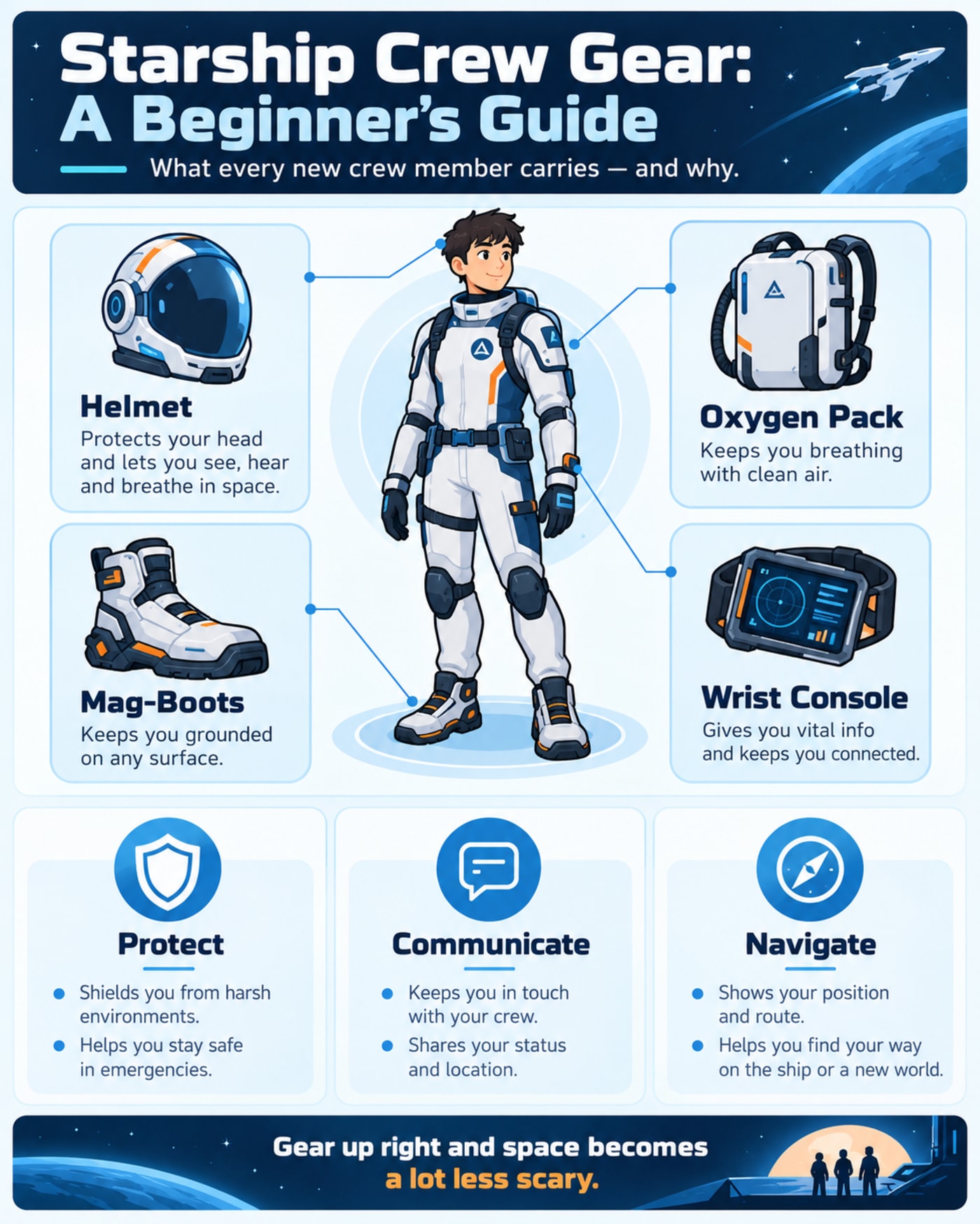
Starship Crew Gear Beginner's Guide Infographic
A free infographic prompt for GPT Image. Copy it as-is, or change the subject and details to fit your idea.
Full prompt
Create an English educational infographic slide titled "Starship Crew Gear: A Beginner's Guide", vertical 4:5, in a clean blue-and-white corporate tech style with light sci-fi flavour.

LAYOUT:
• Top headline band with the title and a one-line subtitle: "What every new crew member carries — and why."
• Centre: a simple flow diagram showing a cadet in a suit at the middle, with lines to four gear items — Helmet, Oxygen Pack, Mag-Boots, Wrist Console — each with a short label like "keeps you breathing" or "keeps you grounded".
• Below: three capability cards with simple icons: "Protect", "Communicate", "Navigate", each with two short bullet lines.
• Bottom summary bar: "Gear up right and space becomes a lot less scary."

STYLE: flat vector illustration, rounded icons, navy, sky blue and white with one orange highlight, crisp sans-serif English text, plenty of whitespace. Use exactly these sections, keep text short and legible, no watermark.
How to use this prompt
- 1Copy the full prompt with the Copy prompt button.
- 2Open GPT Image or an image node in TrendyFlow and paste the prompt.
- 3Swap the subject, style, colours or on-image text to fit your idea, then generate and iterate.
This is a free prompt from TrendyFlow's library. Explore more infographic prompts, all free to copy and adapt.
More infographic promptsRelated prompts
Questions about this prompt
Can I change this infographic prompt for my own subject?
Yes. Keep the structure (format, layout, style and constraints) and replace only the subject, names, colours or text. Changing one section at a time makes it easier to see what each edit does.
Do I need a reference image for this prompt?
No. This prompt works from text alone, though you can add a reference image if you want to match a specific person, product or style.
What aspect ratio should I use?
Use the aspect ratio written in the prompt when there is one, since the layout depends on it. Otherwise pick 4:5 or 9:16 for social posts and 16:9 for presentations and video thumbnails.