
InfographicGPT Image
Premium Mirrorless Camera Tech Infographic
A free infographic prompt for GPT Image. Copy it as-is, or change the subject and details to fit your idea.
Full prompt
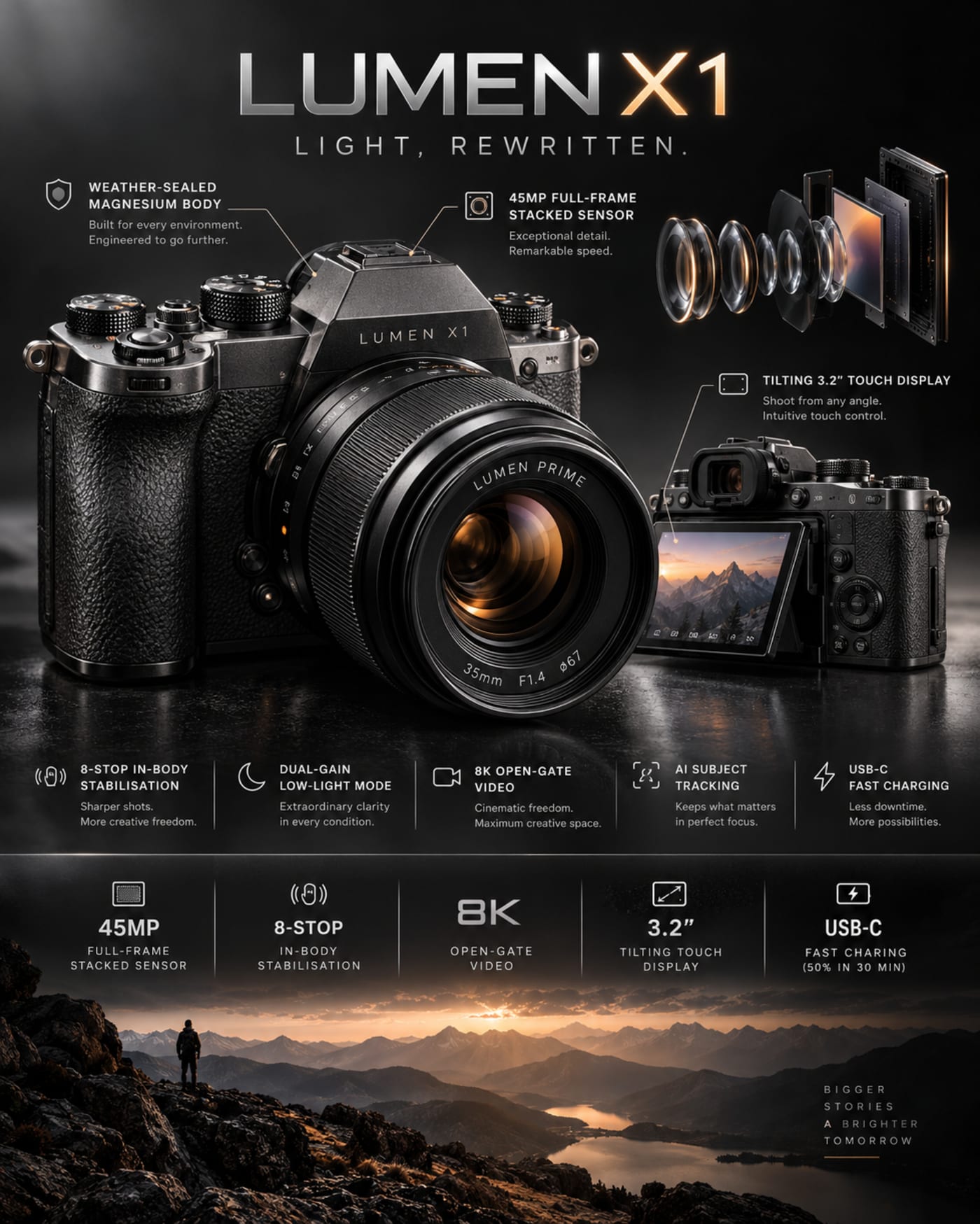
Create a premium photorealistic tech launch infographic for a fictional mirrorless camera called the "LUMEN X1", vertical 4:5.

LOOK: high-end product editorial — deep graphite background, faint brushed-metal gradients, soft studio reflections, precise thin-line callouts, restrained typography.

HERO: a large LUMEN X1 body with a 35mm prime lens, shown at a three-quarter front angle with the magnesium top plate, dials and grip clearly visible. Beside it, a smaller rear view showing the tilting screen and controls. A subtle exploded view of the lens elements and sensor stack floats to one side.

CALLOUTS (thin silver leader lines with small markers):
• 45MP full-frame stacked sensor
• 8-stop in-body stabilisation
• Weather-sealed magnesium body
• Tilting 3.2" touch display
• Dual-gain low-light mode
• 8K open-gate video
• AI subject tracking
• USB-C fast charging

TITLE at top: "LUMEN X1"  — subtitle: "LIGHT, REWRITTEN."
BOTTOM spec strip: SENSOR • STABILISATION • VIDEO • DISPLAY • BATTERY

STYLE: luxury product photography, cinematic softbox lighting, black and silver palette with one warm amber accent, razor-sharp materials, clean hierarchy, no clutter. No real brand names or logos, no distorted geometry, no messy text.
How to use this prompt
- 1Copy the full prompt with the Copy prompt button.
- 2Open GPT Image or an image node in TrendyFlow and paste the prompt.
- 3Swap the subject, style, colours or on-image text to fit your idea, then generate and iterate.
This is a free prompt from TrendyFlow's library. Explore more infographic prompts, all free to copy and adapt.
More infographic promptsRelated prompts
Questions about this prompt
Can I change this infographic prompt for my own subject?
Yes. Keep the structure (format, layout, style and constraints) and replace only the subject, names, colours or text. Changing one section at a time makes it easier to see what each edit does.
Do I need a reference image for this prompt?
No. This prompt works from text alone, though you can add a reference image if you want to match a specific person, product or style.
What aspect ratio should I use?
Use the aspect ratio written in the prompt when there is one, since the layout depends on it. Otherwise pick 4:5 or 9:16 for social posts and 16:9 for presentations and video thumbnails.