
InfographicGPT Image
10 Creative Career Outfits Anime Character Sheet
A free infographic prompt for GPT Image. Copy it as-is, or change the subject and details to fit your idea.
Full prompt
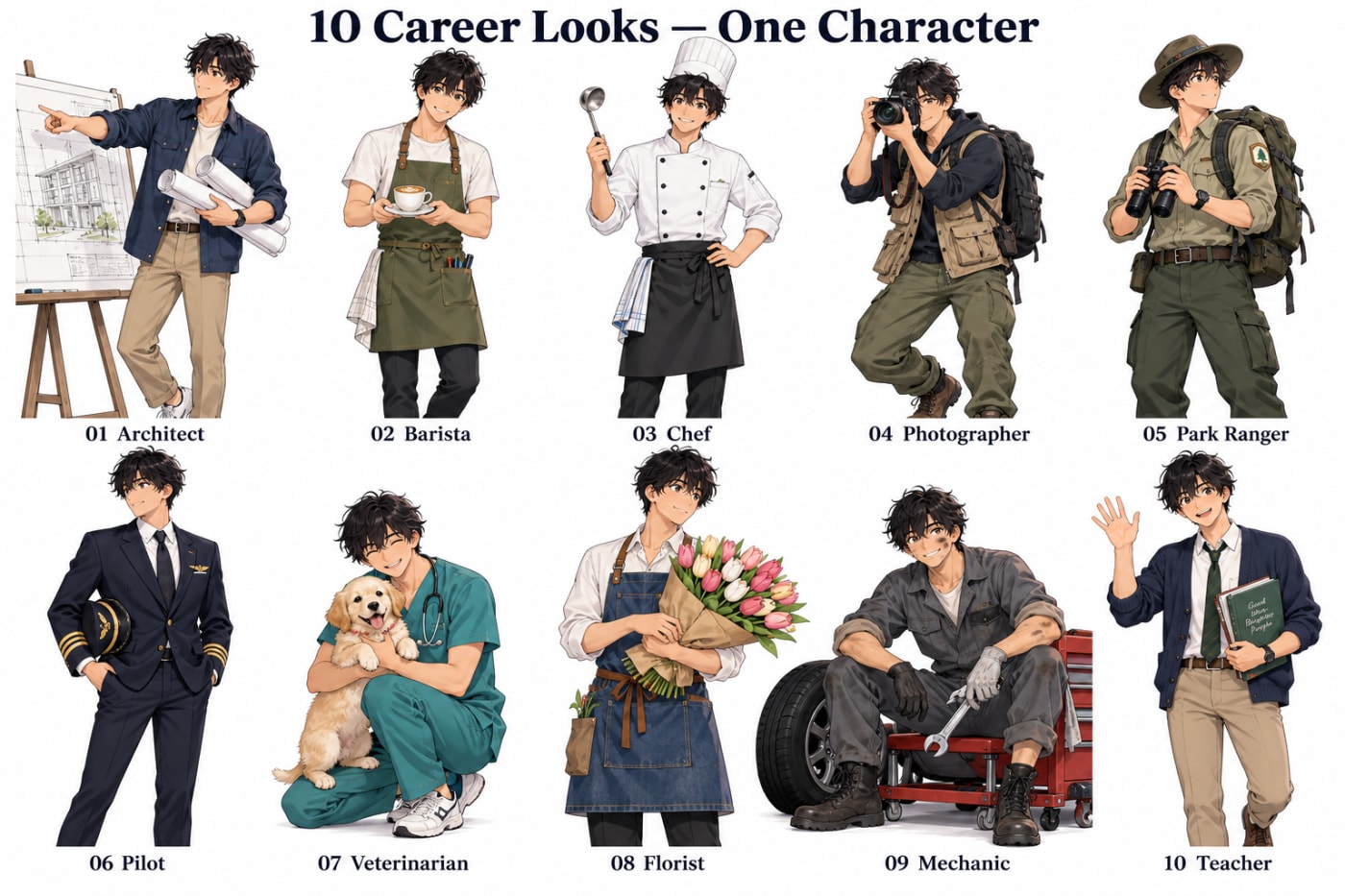
Create a wide landscape anime character-sheet infographic showing one young man in 10 different career outfits, on a clean white background.

HEADLINE (top centre, English): "10 Career Looks — One Character".
GRID: two rows of five full-body figures, evenly spaced, each with a number and label underneath.
CONSISTENCY: the same young man in every figure — tousled black hair, warm brown eyes, slim build, friendly face — only the outfit, props and pose change.

1. "01 Architect" — rolled blueprints, navy overshirt, pointing at plans.
2. "02 Barista" — white tee, olive apron, holding a latte.
3. "03 Chef" — white double-breasted jacket, toque, holding a ladle.
4. "04 Photographer" — utility vest, camera raised to eye.
5. "05 Park Ranger" — khaki shirt, wide-brim hat, binoculars.
6. "06 Pilot" — dark uniform with gold stripes, cap under arm.
7. "07 Veterinarian" — teal scrubs, cradling a puppy.
8. "08 Florist" — denim apron, armful of tulips.
9. "09 Mechanic" — grey coveralls, wrench, smudge on cheek.
10. "10 Teacher" — cardigan and chinos, waving with a book.

STYLE: polished modern anime, clean line art, soft cel shading, gentle colours, crisp English labels, approachable and professional.
How to use this prompt
- 1Copy the full prompt with the Copy prompt button.
- 2Open GPT Image or an image node in TrendyFlow and paste the prompt.
- 3Swap the subject, style, colours or on-image text to fit your idea, then generate and iterate.
This is a free prompt from TrendyFlow's library. Explore more infographic prompts, all free to copy and adapt.
More infographic promptsRelated prompts
Questions about this prompt
Can I change this infographic prompt for my own subject?
Yes. Keep the structure (format, layout, style and constraints) and replace only the subject, names, colours or text. Changing one section at a time makes it easier to see what each edit does.
Do I need a reference image for this prompt?
No. This prompt works from text alone, though you can add a reference image if you want to match a specific person, product or style.
What aspect ratio should I use?
Use the aspect ratio written in the prompt when there is one, since the layout depends on it. Otherwise pick 4:5 or 9:16 for social posts and 16:9 for presentations and video thumbnails.