
InfographicGPT Image
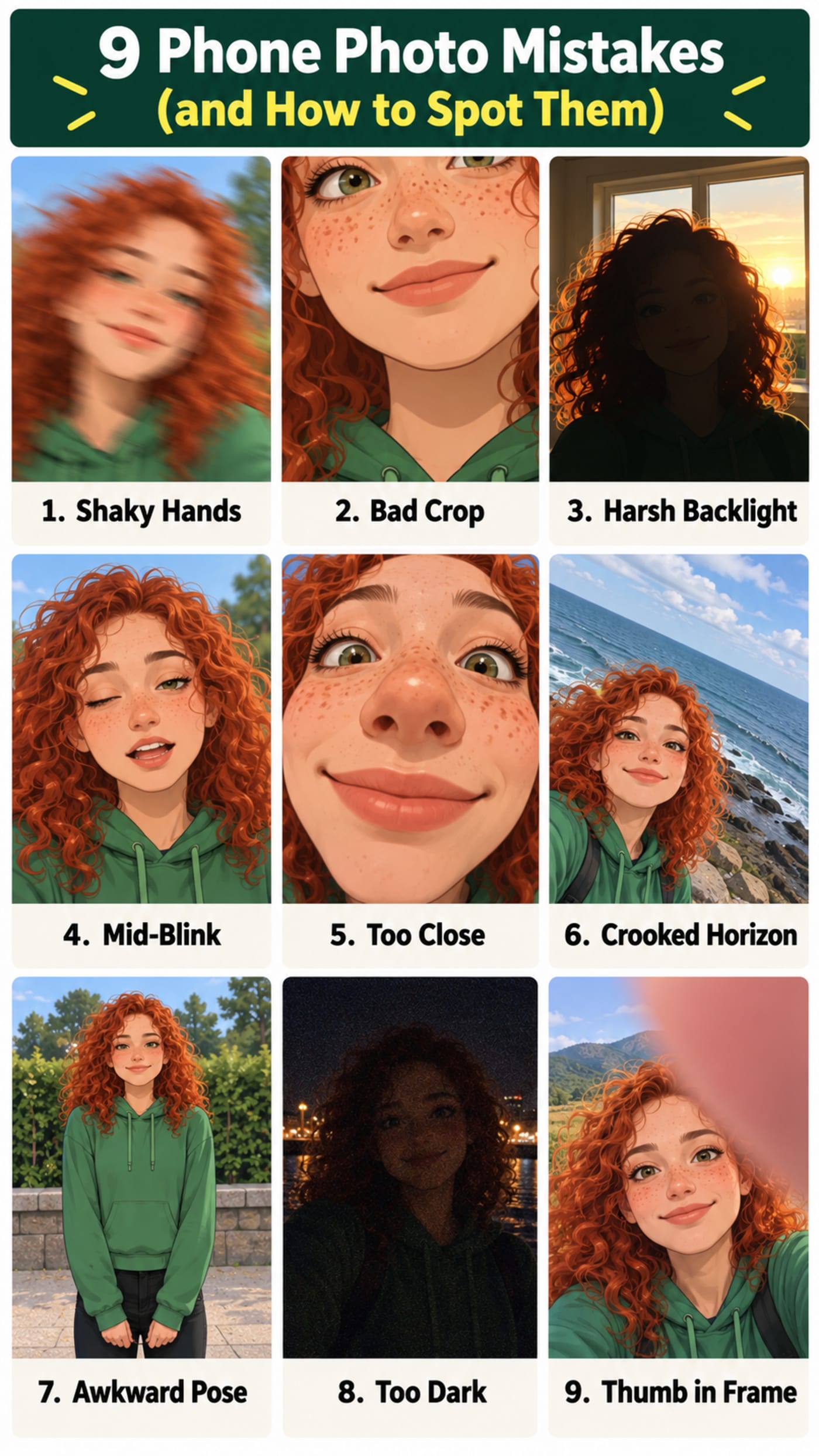
9 Common Phone Photo Mistakes Grid
A free infographic prompt for GPT Image. Copy it as-is, or change the subject and details to fit your idea.
Full prompt
Create a vertical 9:16 educational image: a 3×3 grid of nine clean flat-colour illustrations showing common phone-photo mistakes. The same subject appears in every panel: a young woman with curly red hair, freckles and a green hoodie. Each panel has a bold English label underneath.

1. "1. Shaky Hands" — her face smeared with motion blur.
2. "2. Bad Crop" — the frame cuts off her chin and forehead.
3. "3. Harsh Backlight" — a dark silhouette in front of a bright window.
4. "4. Mid-Blink" — eyes half shut, odd expression.
5. "5. Too Close" — wide-angle distortion with a huge nose.
6. "6. Crooked Horizon" — she smiles while the sea behind her tilts steeply.
7. "7. Awkward Pose" — standing stiffly, arms pinned to her sides.
8. "8. Too Dark" — grainy, murky night shot where she's barely visible.
9. "9. Thumb in Frame" — a blurry pink thumb covering one corner.

Add a top title band: "9 Phone Photo Mistakes (and How to Spot Them)". Style: clean digital illustration, flat colours, light shading, friendly educational infographic, crisp sans-serif text.
How to use this prompt
- 1Copy the full prompt with the Copy prompt button.
- 2Open GPT Image or an image node in TrendyFlow and paste the prompt.
- 3Swap the subject, style, colours or on-image text to fit your idea, then generate and iterate.
This is a free prompt from TrendyFlow's library. Explore more infographic prompts, all free to copy and adapt.
More infographic promptsRelated prompts
Questions about this prompt
Can I change this infographic prompt for my own subject?
Yes. Keep the structure (format, layout, style and constraints) and replace only the subject, names, colours or text. Changing one section at a time makes it easier to see what each edit does.
Do I need a reference image for this prompt?
No. This prompt works from text alone, though you can add a reference image if you want to match a specific person, product or style.
What aspect ratio should I use?
Use the aspect ratio written in the prompt when there is one, since the layout depends on it. Otherwise pick 4:5 or 9:16 for social posts and 16:9 for presentations and video thumbnails.