
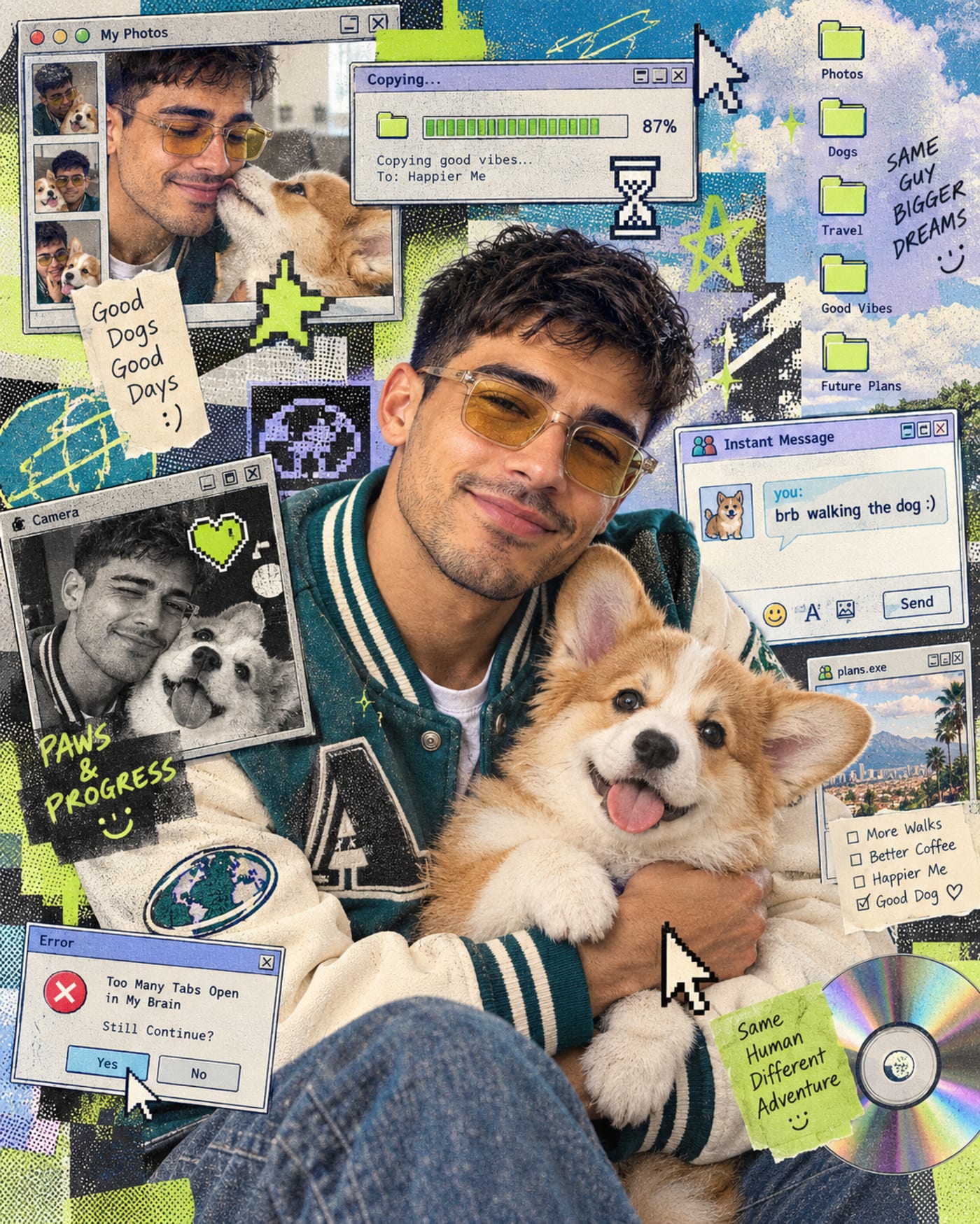
Y2K Desktop Nostalgia Portrait with Puppy
A free poster prompt for GPT Image that works with an uploaded reference image. Copy it as-is, or change the subject and details to fit your idea.
Full prompt
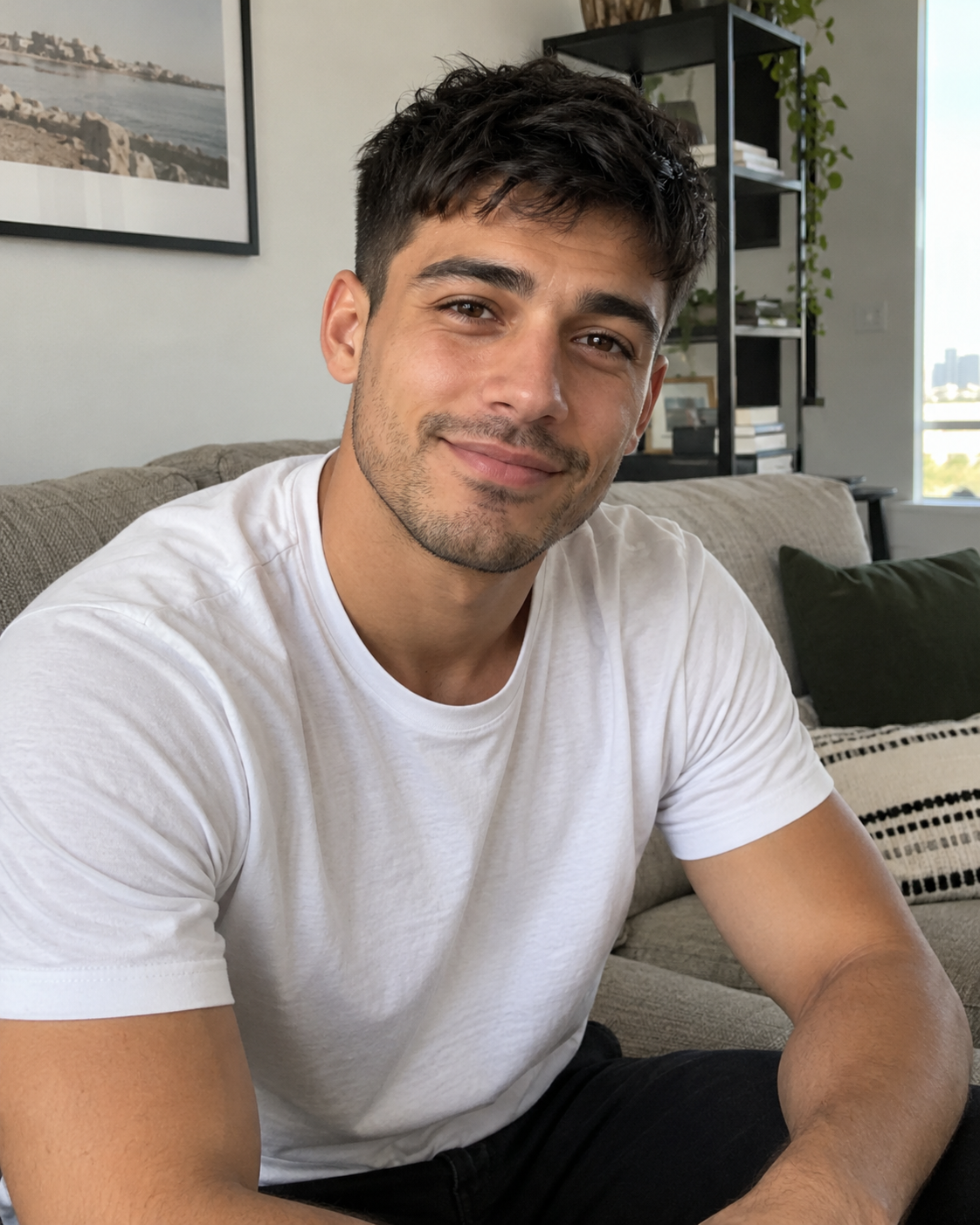
Using the uploaded photo, keep the person's exact face, identity, features and natural skin texture, and place them in a Y2K desktop-computer nostalgia artwork.

Blend editorial portrait photography with retro digital print effects: halftone dots, Risograph grain, slight ink misregistration, chunky pixel shapes, airbrushed glow and spray-paint overspray. Build the composition from old operating-system elements — overlapping program windows, a progress bar at 87%, error pop-ups, desktop folders, a pixel hourglass, cursors and an instant-messenger chat box that says "brb walking the dog :)".

Style the person in a cropped varsity jacket in teal and cream with tinted yellow rectangle sunglasses. Include a fluffy beige-and-white corgi puppy clearly visible in their arms.

Keep it graphic, layered, playful and slightly imperfect. Palette: lime green, teal, cream, soft lilac and charcoal.
How to use this prompt
- 1Copy the full prompt and download the reference image shown next to the result.
- 2Open GPT Image or an image node in TrendyFlow, upload the reference image, then paste the prompt.
- 3Swap the subject, style, colours or on-image text to fit your idea, then generate and iterate.
This is a free prompt from TrendyFlow's library. Explore more poster prompts, all free to copy and adapt.
More poster promptsRelated prompts
Questions about this prompt
Can I change this poster prompt for my own subject?
Yes. Keep the structure (format, layout, style and constraints) and replace only the subject, names, colours or text. Changing one section at a time makes it easier to see what each edit does.
Do I need a reference image for this prompt?
Yes, this prompt is designed around an uploaded reference image. Download the reference shown on this page, or use your own photo of the same type.
What aspect ratio should I use?
Use the aspect ratio written in the prompt when there is one, since the layout depends on it. Otherwise pick 4:5 or 9:16 for social posts and 16:9 for presentations and video thumbnails.