
StoryboardGPT Image
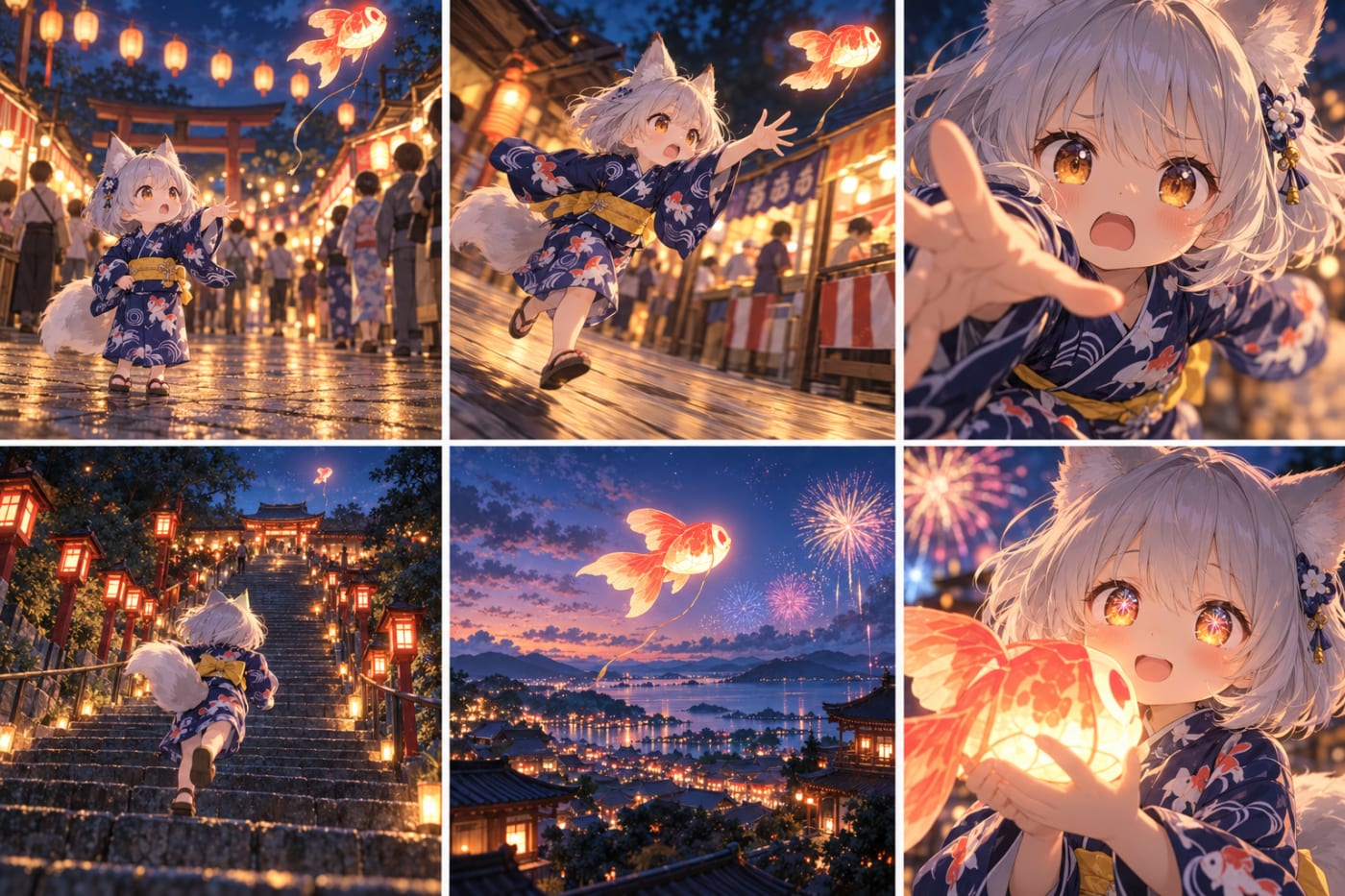
Lantern-Chasing Fox Girl 6-Panel Anime Storyboard
A free storyboard prompt for GPT Image. Copy it as-is, or change the subject and details to fit your idea.
Full prompt
A 6-panel anime storyboard sheet in a 2×3 grid (two rows, three columns) telling one continuous story. Polished Japanese-style animation art with soft glowing light and a blue-hour summer festival palette.

CHARACTER: a small chibi girl with a silver bob, fluffy fox ears and tail, big amber eyes, wearing a navy summer yukata with white goldfish print and a yellow obi.

Panel 1 (top left): wide shot of her at a lantern-lit festival street holding a paper goldfish lantern, which suddenly slips its string and floats up.
Panel 2 (top middle): action shot of her leaping after it past food stalls, arm stretched out.
Panel 3 (top right): close-up of her face, eyes wide and determined, reaching toward the viewer.
Panel 4 (bottom left): back view as she dashes up a steep stone stairway lined with red lanterns toward a hilltop.
Panel 5 (bottom middle): the goldfish lantern drifting above the town rooftops, fireworks blooming softly behind it.
Panel 6 (bottom right): close-up of her small hands gently catching the lantern at the top of the stairs, fireworks reflected in her eyes.

Thin white gutters, cinematic framing, consistent character design in every panel, no text.
How to use this prompt
- 1Copy the full prompt with the Copy prompt button.
- 2Open GPT Image or an image node in TrendyFlow and paste the prompt.
- 3Swap the subject, style, colours or on-image text to fit your idea, then generate and iterate.
This is a free prompt from TrendyFlow's library. Explore more storyboard prompts, all free to copy and adapt.
More storyboard promptsRelated prompts
Questions about this prompt
Can I change this storyboard prompt for my own subject?
Yes. Keep the structure (format, layout, style and constraints) and replace only the subject, names, colours or text. Changing one section at a time makes it easier to see what each edit does.
Do I need a reference image for this prompt?
No. This prompt works from text alone, though you can add a reference image if you want to match a specific person, product or style.
What aspect ratio should I use?
Use the aspect ratio written in the prompt when there is one, since the layout depends on it. Otherwise pick 4:5 or 9:16 for social posts and 16:9 for presentations and video thumbnails.