
CrochetGPT Image
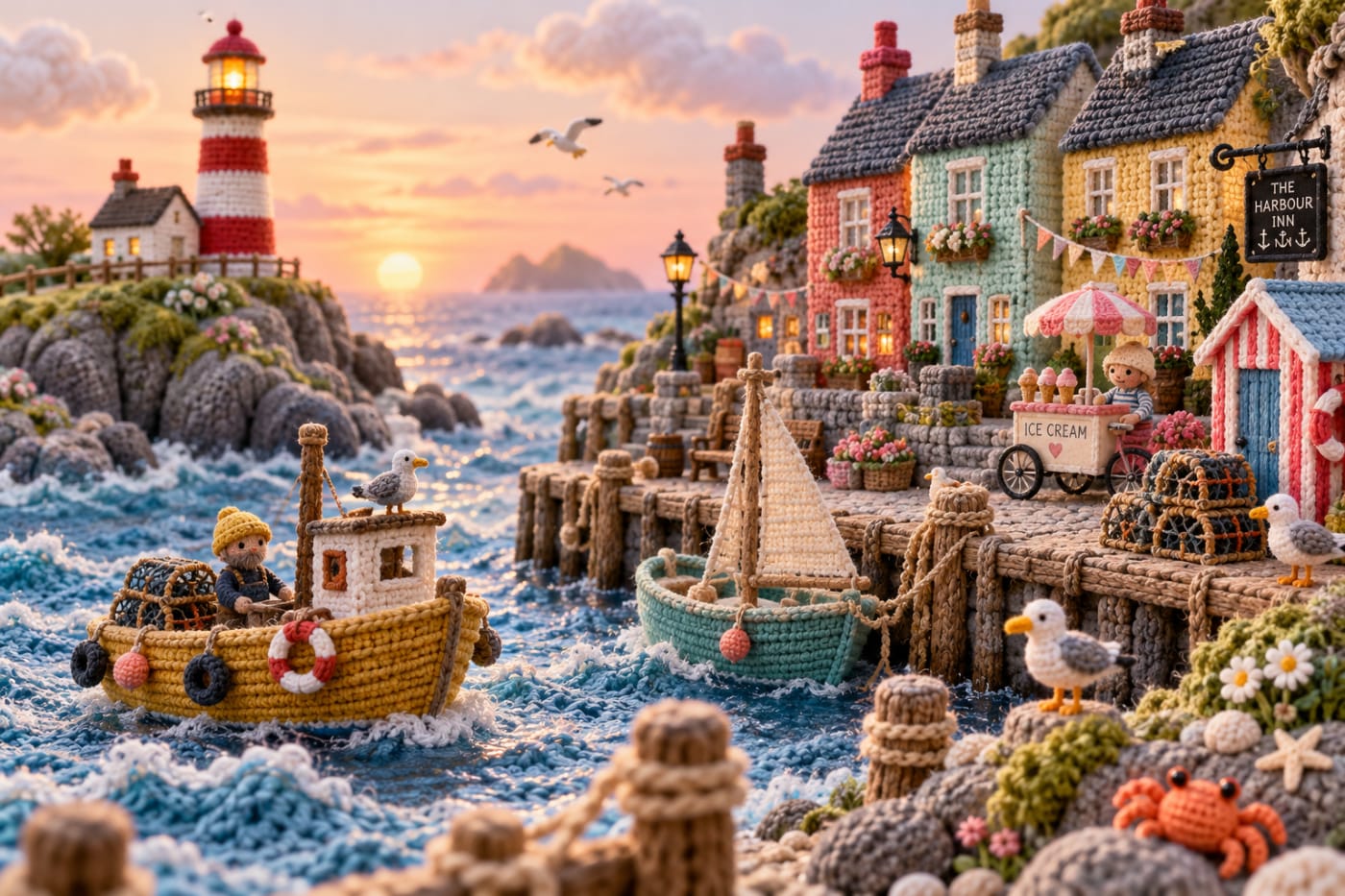
Crochet Seaside Harbor Miniature Diorama
A free crochet prompt for GPT Image. Copy it as-is, or change the subject and details to fit your idea.
Full prompt
A highly detailed miniature diorama made entirely of crochet and amigurumi yarn, whimsical and cute: a tiny seaside harbour village. A tall red-and-white striped crocheted lighthouse with a glowing yellow lamp stands on a rocky yarn cliff; a small mustard crocheted fishing boat with a little cabin bobs on wavy blue-and-white crocheted water; a teal sailboat with a cream sail is moored at a wooden-textured yarn pier. Along the waterfront: colourful crocheted cottages in coral, mint and butter yellow, a striped beach hut, a tiny ice-cream cart with a pom-pom umbrella, stacked lobster pots and a coil of rope. Little crocheted seagulls perch on the posts, and patches of sea grass, daisies and pebbles dot the shore.

Sky: soft pastel morning with fluffy yarn clouds and gentle sunrise light. Visible stitches and yarn fuzz on every surface, cosy handmade craft feel, soft pastel colours, dreamy warm atmosphere, macro photography with shallow depth of field and creamy bokeh, ultra-detailed and charming.
How to use this prompt
- 1Copy the full prompt with the Copy prompt button.
- 2Open GPT Image or an image node in TrendyFlow and paste the prompt.
- 3Swap the subject, style, colours or on-image text to fit your idea, then generate and iterate.
This is a free prompt from TrendyFlow's library. Explore more crochet prompts, all free to copy and adapt.
More crochet promptsRelated prompts
Questions about this prompt
Can I change this crochet prompt for my own subject?
Yes. Keep the structure (format, layout, style and constraints) and replace only the subject, names, colours or text. Changing one section at a time makes it easier to see what each edit does.
Do I need a reference image for this prompt?
No. This prompt works from text alone, though you can add a reference image if you want to match a specific person, product or style.
What aspect ratio should I use?
Use the aspect ratio written in the prompt when there is one, since the layout depends on it. Otherwise pick 4:5 or 9:16 for social posts and 16:9 for presentations and video thumbnails.