
Pixel ArtGPT Image
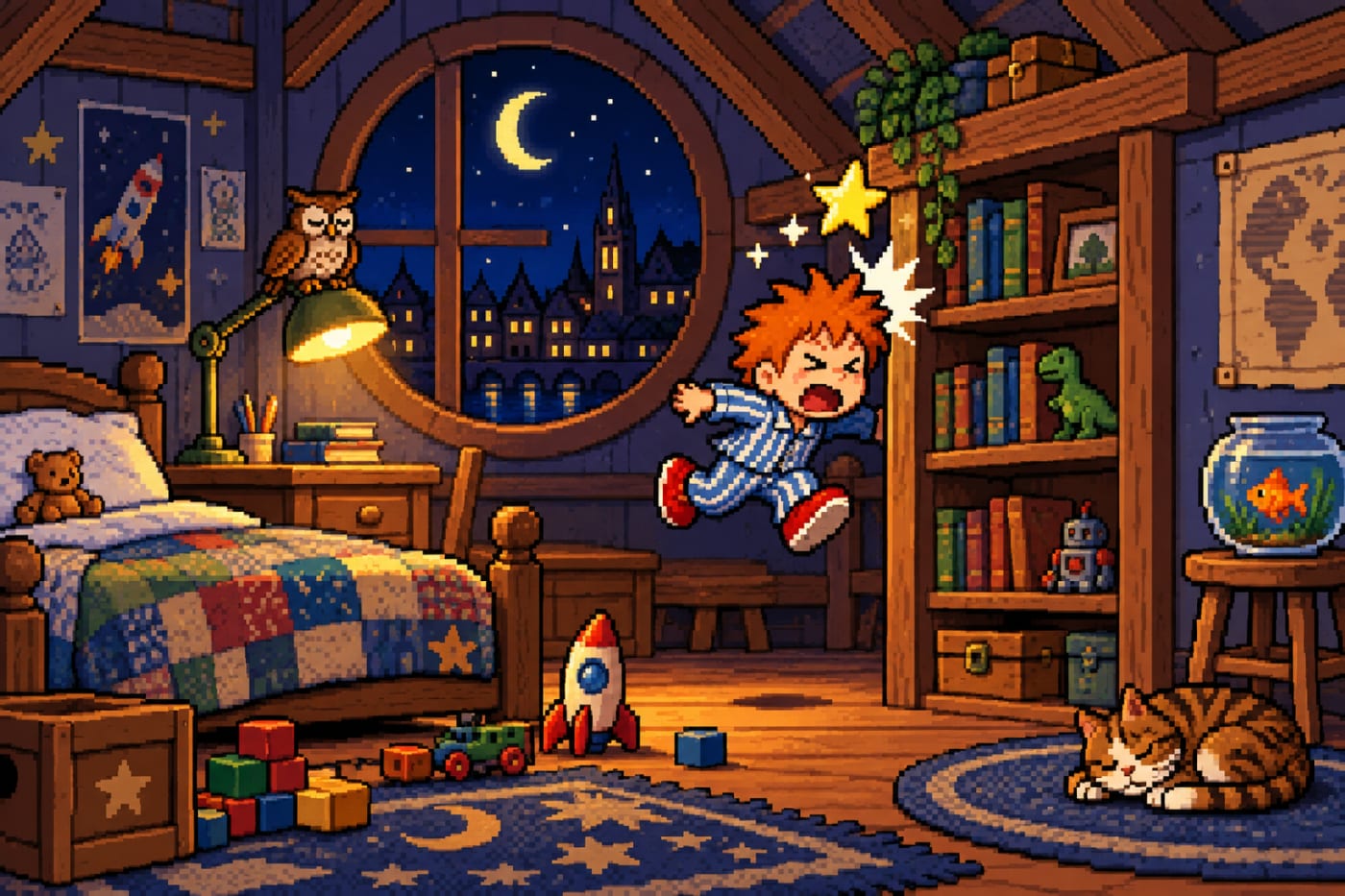
16-Bit Pixel Art Boy Bumping a Star from the Bookshelf
A free pixel art prompt for GPT Image. Copy it as-is, or change the subject and details to fit your idea.
Full prompt
True 16-bit console-era pixel art: every pixel a crisp visible square, limited ~32-colour palette, no anti-aliasing, no gradients, no blur, side-view platformer framing with a tile-based background.

SCENE: a cosy attic bedroom at night. A small boy with spiky orange hair, a blue striped pajama top and red slippers leaps into the air and bonks his head on a low wooden bookshelf. A glowing yellow star pops out above his head with a white jagged impact burst and little sparkle pixels. His eyes are squeezed shut and his mouth is wide open mid-shout.

DETAILS: a sleepy owl perched on a desk lamp to his left; a bed with a patchwork quilt; a round window with a crescent moon and twinkling city lights; a toy rocket and building blocks on the floor; a goldfish bowl on a stool; a tabby cat curled up asleep on a round rug in the bottom-right corner.

Warm lamplight against deep indigo night colours, cheerful retro game mood.
How to use this prompt
- 1Copy the full prompt with the Copy prompt button.
- 2Open GPT Image or an image node in TrendyFlow and paste the prompt.
- 3Swap the subject, style, colours or on-image text to fit your idea, then generate and iterate.
This is a free prompt from TrendyFlow's library. Explore more pixel art prompts, all free to copy and adapt.
More pixel art promptsRelated prompts
Questions about this prompt
Can I change this pixel art prompt for my own subject?
Yes. Keep the structure (format, layout, style and constraints) and replace only the subject, names, colours or text. Changing one section at a time makes it easier to see what each edit does.
Do I need a reference image for this prompt?
No. This prompt works from text alone, though you can add a reference image if you want to match a specific person, product or style.
What aspect ratio should I use?
Use the aspect ratio written in the prompt when there is one, since the layout depends on it. Otherwise pick 4:5 or 9:16 for social posts and 16:9 for presentations and video thumbnails.